Macromedia Flash MX is a software solution for developing rich Internet content and applications.
Two books, Great resource and references for graphics and other programming applications. Great illustrations, concepts, and user friendly tutorials that can be applied across the board web design, programming, graphics, and more! Price negotiable
Flash Player is a deprecated plug-in that allows interactive web animations to be played back within a browser, used for streaming audiovisual content, movies, and playing games.
Descriptions:
Flash MX 2004 and Flash MX Professional 2004 are the solutions for developing rich Internet content and applications. Whether you are designing motion graphics or building data-driven applications, the Flash MX 2004 products have the tools you need to produce great results and deliver the best user experiences across all major platforms and on many popular devices such as PDAs and mobile phones.
Multimedia program, which included a new version of the object-oriented programming language ActionScript 2.0.
Macromedia Flash MX 2004 included new features such as programming language ActionScript 2.0, timeline effects, behaviors, accessibility support in the authoring environment, updated templates, high-fidelity import, video import wizard, small font size rendering, and more. The program was released with Flash Player 7.
Accelerate Your Flash Skills with This Practical, Sophisticated Guide
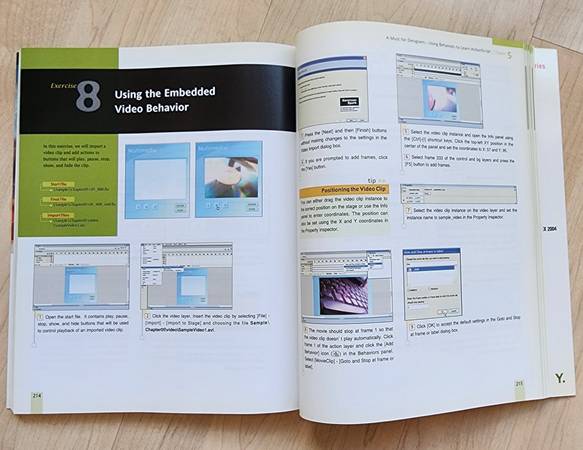
Flash MX 2004 Accelerated: A Full-Color Guide gets you up and running in a flash through hands-on experience creating meaningful, fun projects. Its learn-by-doing approach makes the road to proficiency quick and painless. Start off with a clear-cut introduction to the essential concepts, functions, and terminology that are difficult to grasp on your own. Then, immediately put your new skills to the test by following the step-by-step practical exercises.
Full-color, crisp screenshots and graphics on every page give you a clear image of what's possible. Dozens of real-world examples, from straightforward to advanced, demonstrate how to integrate techniques and pull all your knowledge together. By the end, you'll know how to enrich your website with animation, special effects, audio, and motion--a level of competency that classifies you as a skillful Flash user.
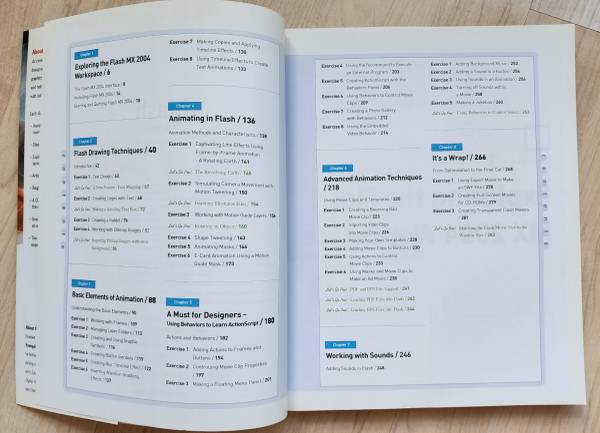
* Projects you will complete include:
* Draw an animated logo
* Design posters using bitmap images
* Animate a boy on a skateboard
* Move a mini-movie inside a main movie
* Add movie clips to buttons
* Attach sound to buttons
* Create Windowless Flash movies
* Simulate motion blur for a moving train
* Make an animated text banner with SwiSH
* Generate a rotating 3D logo with Swift 3D
50 cool techniques that will take your Flash animations to the next level. Includes topics such as Simulating a 3D Cube, Creating an Explosion, Building Letters from an Images, Making Mono Clips Sound Like Stereo, Creating a 3D Morph, Triggering Speech Bubbles, Building a User-response Form, Putting a Flash Movie onto a PDA.
* Covers the latest Flash "X" release. Most of these effects can also be created with Flash 5.
* 50 step-by-step methods to make your Flash 5 and Flash "X" animations more impressive, engaging, effective, and fun. Includes a 32-page full-color insert highlighting the most dramatic visual tricks.